
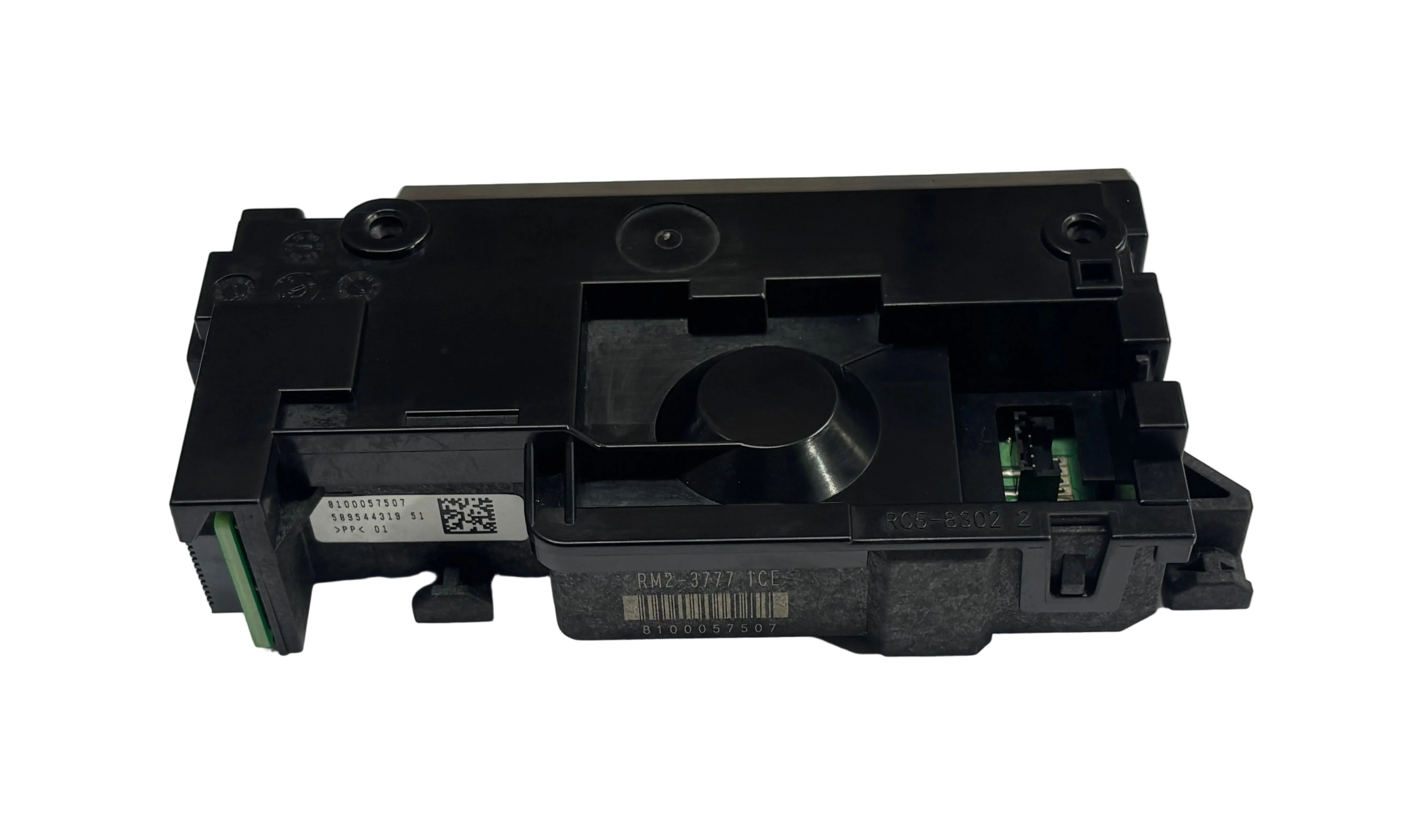

Description
Compatible Model :- HP LaserJet Pro 3004dn / 3004dw / 3004 / MFP 3104fdn / MFP 3104fdw / MFP 3104
Canon Image Class MF284dw / MF287dw / MF289dw / LBP172dw / LBP170 / MF280 Printer
Canon Image Class MF 284dw / MF 287dw / MF 289dw / LBP 172dw / LBP 170 / MF 280 Printer
Canon Image Class MF284 / 284 / MF287 / 287 / MF289 / 289 / LBP172 / 172 / LBP170 / 170 / 280 / MF280 Printer
Part Condition :- Refurbished Original / Pulled Original / Working Original / Import
Part Warranty :- 30 Days Replacement Warranty From Billing Date.
The "Eyes & Projector" of Your Printer
What It Does (In Simple Words)
The laser unit works hidden deep inside the printer, right underneath or near the toner cartridge.
|
Step |
What It Safely Does |
|
1. Reads the Data |
It receives the digital image or text file from the printer's main board. |
|
2. Fires the Laser |
The Laser Beam Scanner shoots a microscopic light beam onto a fast-spinning polygon mirror. |
|
3. Draws on the Drum |
This mirror reflects the laser through lenses down onto the Imaging Unit or drum cartridge. |
|
4. Creates the Blueprint |
The laser creates an invisible static electricity path (a blueprint) that attracts the toner powder to make the print. |
Common Signs Your Laser Scanner Unit Needs Replacing
Laser units are sensitive optical devices. Dust, smoke, or component failure can stop them from working. Customers usually look for a replacement when they face these problems:
- Blank Pages (No Print At All): The printer processes the job, the paper feeds through perfectly, but it comes out completely white. If the laser doesn't fire, no toner can stick to the page.
- Faint, Blurry, or Light Prints: If the internal mirrors or lenses inside the Lower Scanner Unit get dusty, the laser beam becomes weak, resulting in faded or uneven prints across the page.
- Scanner/Engine Error Codes: The printer stops working completely and displays errors like "Error 51", "Error 52", "Scanner Error", or "Laser Error".
- High-Pitched Whining Noise: If the micro-motor inside the Laser Unit that spins the polygon mirror starts to fail, it will make a loud, annoying whistling or whining sound.
· Think of the Laser Scanner Unit (commonly known as the Laser Scanner, Laser Unit, or LSU Scaner) as a high-precision digital projector inside your machine.
While the power supply turns the printer on, the Laser Beam Scanner is responsible for actually "drawing" your document or image onto the printing drum using an invisible laser beam. It acts as the eyes of the machine—if this unit is dirty, misaligned, or faulty, your printer will become completely "blind" and won't be able to print a single word onto the paper.
Important Safety Warning for Customers:
The Laser Scanner Unit contains a Class 1 laser. NEVER open the LSU casing or look directly into the laser path while the printer is plugged in. Doing so can cause permanent eye damage or blindness. Always replace the unit as a complete, sealed assembly, or have a trained technician handle the installation.
Why Buy From Us?
We stock 100% tested, certified, and reliable Laser Unit and Lower Scanner Unit replacements. Our parts undergo strict quality checks to ensure the spinning mirrors and optical lenses are crystal clear, completely resolving your scanner errors and bringing back sharp, dark, factory-quality prints.
