
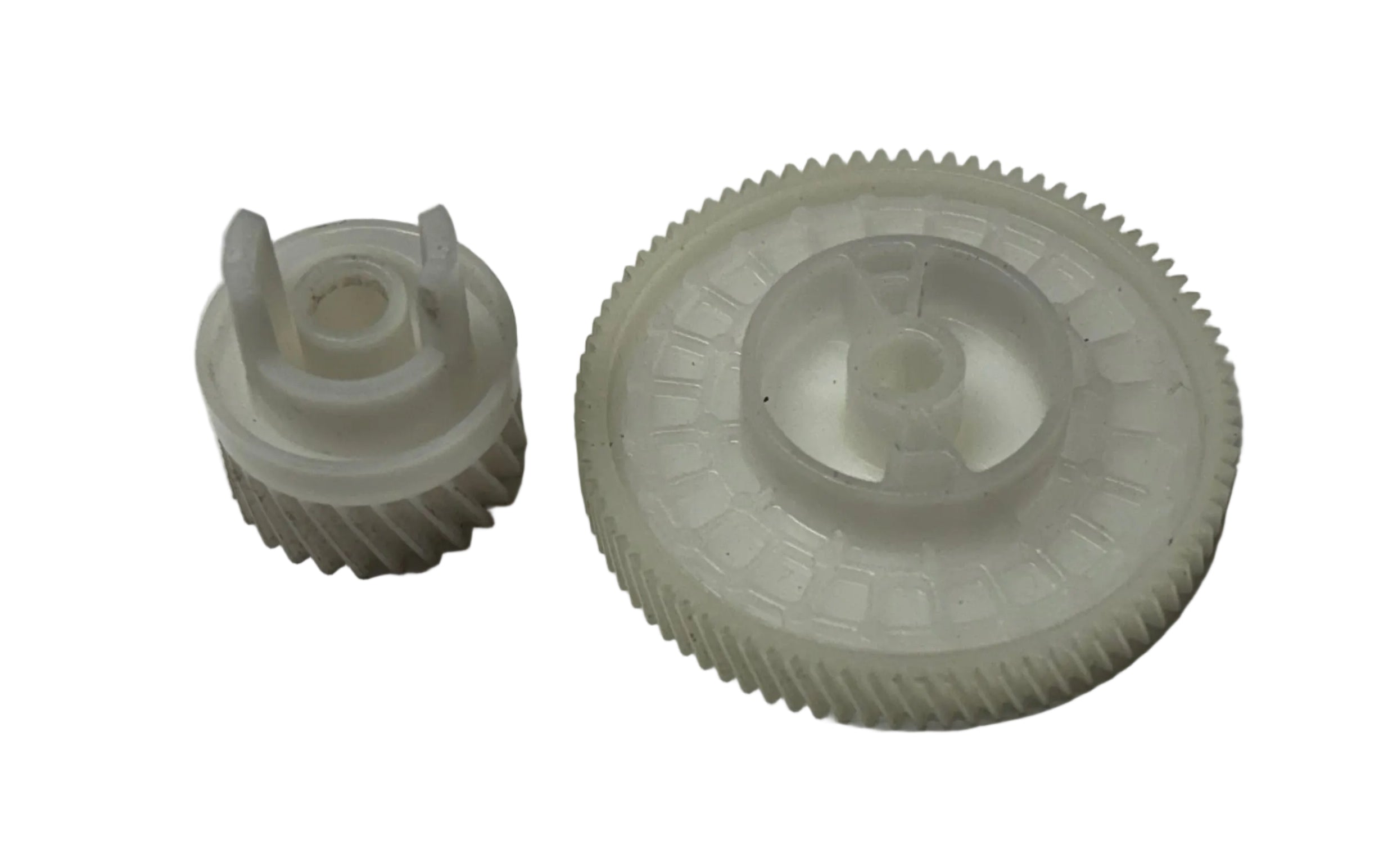

Description
Compatible Model - HP Laser 108A / 108W / MFP 131A / MFP 133A / 136A / MFP 136W / MFP 136NW / MFP 138FNW Printer
Compatible Model - HP LaserJet 1008 / 1008a / MFP 1188 / 1188a / 1188w / 1188nw / 1188fnw Printer
HP Laser 103 / 107 / 108 / 108 / MFP131 / MFP133 / MFP136 / MFP136W / MFP136NW / MFP138FNW / 1008 / MFP1188 / MFP1188a / MFP1188w / MFP1188nw / MFP1188fnw Printer
The "Transmission Gears" of Your Printer
When you click "Print" on your computer, the printer's main motor transfers its rotating power through a precise train of plastic teeth. These gears lock into each other to drive the pickup rollers and separation rollers at the exact micro-second required to lift and feed a single sheet of paper straight into the machine. If this assembly or even one tooth on these gears is worn out, broken, or misaligned, your printer cannot lift the paper, resulting in constant feeding errors.
What It Does (In Simple Words)
This unit uses a precise combination of gears, driving wheels, and timing sequences to control the paper flow. This genuine technical internal layout is strictly mapped to the imported inventory records of printerpartspoint.com: Common Signs Your Paper Pickup Drive Gear Needs Replacing
Since this assembly handles heavy friction and mechanical movement for thousands of pages, the plastic Paper Pickup Gear crack and wear down over time. Customers look for a replacement when facing these symptoms:
- Continuous "Paper Jam" Errors: The paper tray rollers stay completely still because the Paper Feeder Gear train is broken, causing the paper to get stuck right at the beginning of the tray.
- "No Paper Found" Warning: Your tray is full of paper, but the printer keeps saying "Load Paper" or "Tray Empty" because the stripped teeth on the Feeder Drive Gear fail to turn the roller.
- Skewed, Crooked, or Torn Pages: If a Double Gear has a hairline crack, it spins unevenly, causing the paper to feed tilted, wrinkle up, or tear right at the entry point.
- Loud Clicking or Grinding Noises: Worn-out or broken plastic gears inside the Paper Pickup Drive Gear assembly will make a terrible cracking or grinding sound when trying to lift paper.
⚠️ Important Buying Tip for Customers:
Printer Drive Gears are strictly model-specific! They cannot be interchanged randomly. Even a 0.5mm difference or a variation in the Tooth Count (T-Count) means the gear will not fit. Before buying from printerpartspoint.com, always count the exact number of teeth on your old gear (e.g., 19T, 23T, 41T) and Paper Feed Gear cross-check your exact printer model series to ensure perfect mechanical interlocking.
Think of the Pickup Drive Gear (commonly known as the Feeder Drive Gear or Paper Pickup Gear) as the transmission system inside your printer.
Why Buy From Us?
We are India’s leading direct importer and wholesale distributor of premium-grade Paper Pickup Drive Gears and Feeder Drive Gears. Sourced from top-tier international manufacturers, our entire stock featured on printerpartspoint.com is moulded from ultra-durable, industrial-grade POM polyacetal plastic. This ensures maximum wear-resistance, low friction, and an extremely long operational life under heavy load. Before leaving our New Delhi warehouse, each batch undergoes strict dimensional tolerance and quality inspections by our technical team to ensure smooth, zero-jam paper feeding at wholesale prices.
